

This has happened with almost every browser or operating system update over the past year: You open your browser just to check a new cheesecake recipe and suddenly find a colorful new button in the toolbar, a text box offering to “rewrite with AI” and an eager side panel waiting for your prompt.
For some users, this is welcome progress. But among a growing group of tech enthusiasts, developers and privacy-conscious users, the trend has sparked a backlash: a quiet but steady shift away from the big, familiar browsers toward “cleaner” alternatives.
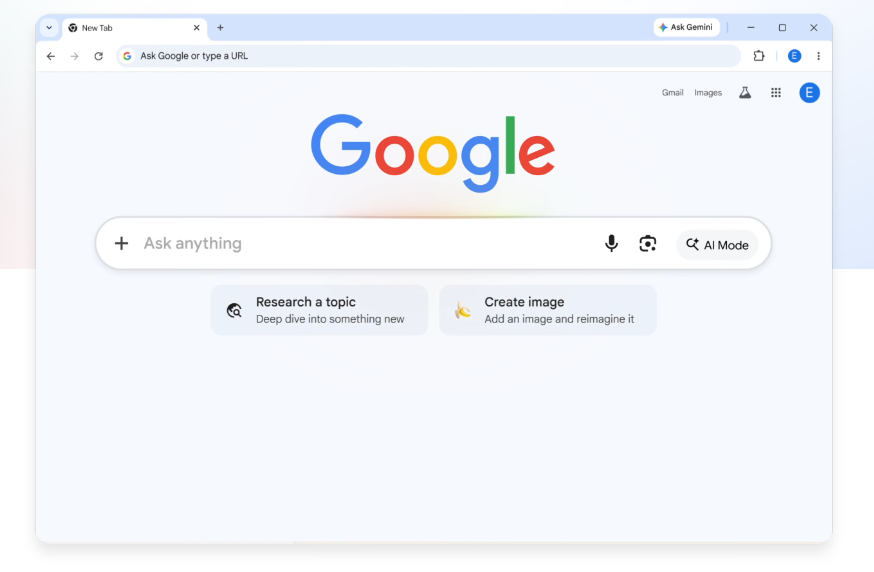
Feature overload or welcome progress?
To understand their frustration, look at what has happened to leading browsers such as Google Chrome, Microsoft Edge and even Norway’s Opera. A modern AI-integrated browser no longer merely displays web pages. It tries to analyze them for the user.
That has produced new features, including automatic page summaries at the click of a button in the address bar, writing assistants for posts or emails that suggest changing the tone to professional, amusing or concise and search bars that no longer return only links but full, written answers.
For many users, these features amount to unnecessary bloat that weighs down what was once a light and fast tool. They can turn the browser into a heavy consumer of system resources, using RAM and processing power to run AI models on the computer or maintain constant communication with cloud servers. The interface also becomes visually cluttered, with icons that cannot always be easily removed.
Some users also fear that to provide summaries and insights, the browser “reads” their screen content, including sensitive information, bank accounts or internal correspondence, and sends that data to remote servers to train future AI models.
Others worry about “hallucinations,” the well-known flaw of generative AI, which can produce incorrect or misleading summaries. And some are simply devoted to their right to use “dumb tech” — simple tools that do one thing and do it well. A browser should display websites, they say. Period.

Mozilla Firefox: strong alternatives are available
(Photo: Shutterstock)
What are the alternatives?
Are there alternatives? For those looking for a browser that has not yet embraced the AI revolution, or at least lets users ignore it, these are some of the leading options:
Firefox — Mozilla’s veteran browser is enjoying a resurgence. It is not based on the Chromium engine behind Chrome and Edge, and offers AI features only as an option users can choose to enable.
Ladybird — A completely new open-source browser, written from scratch and funded entirely by donations, with no business model. Its stated goal is to be a light, fast browser focused solely on displaying web pages as they are, without any AI features.
Vivaldi — Though based on Chromium, Vivaldi gives users full control over its interface. Don’t want a certain feature? You can disable it, hide it or move it. Instead of generative AI tools, Vivaldi offers classic features such as advanced tab management and simple text notes.
LibreWolf — Essentially a “clean” version of Firefox. It has no smart features or content recommendations and is intended for users who want an entirely stripped-down browsing experience.
Startpage — A veteran browser launched 20 years ago that does not store users’ IP addresses or use tracking cookies, functioning almost like a VPN. All AI features are optional and can be disabled in settings.
DuckDuckGo — Another veteran browser with its own search engine, DuckDuckGo does not store or share search or browsing history. Its latest versions include AI features, but users can remove them at noai.duckduckgo.com.